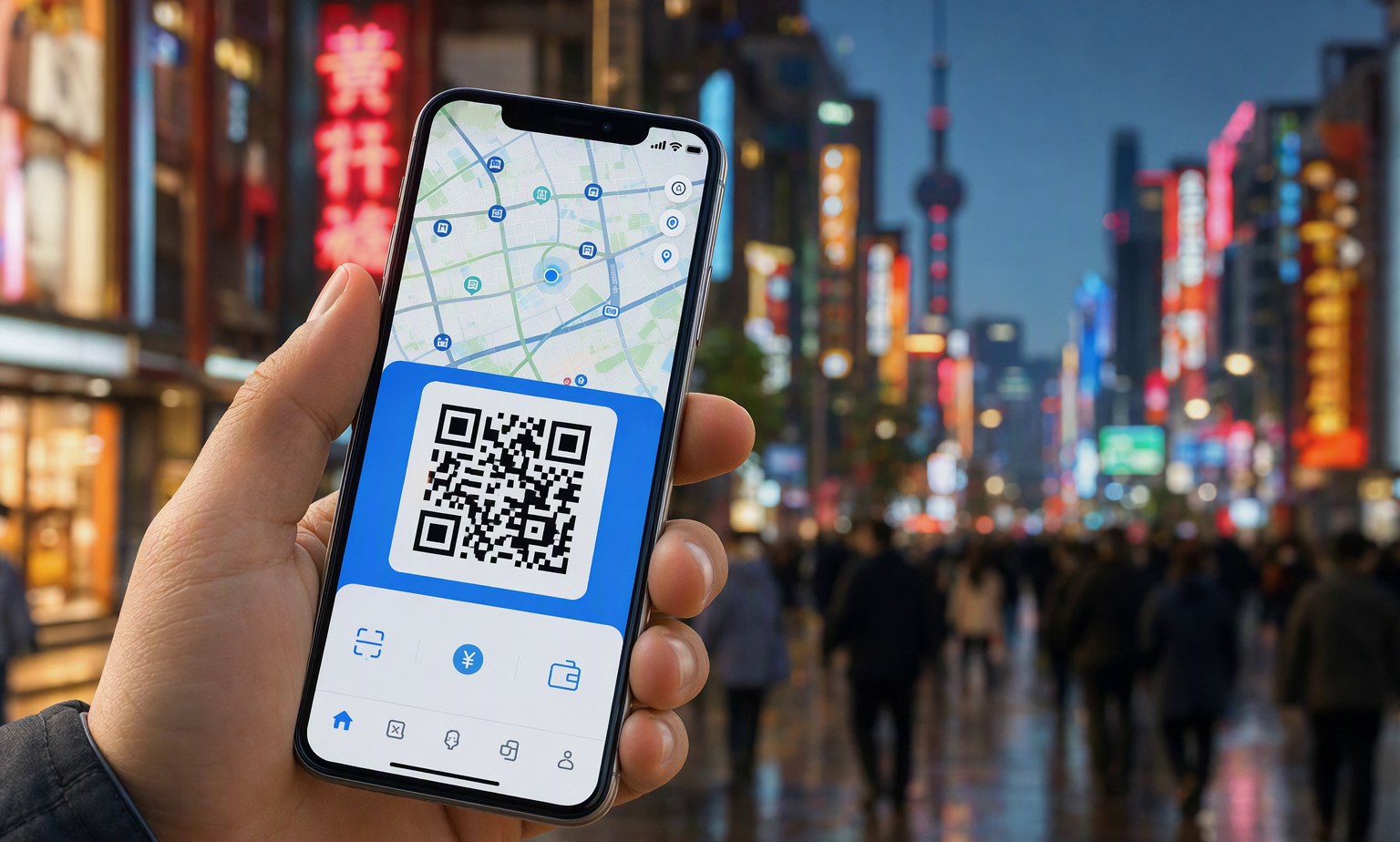
Why Your China Trip Needs an eSIM in 2026
China’s digital landscape is uniquely gated: Google, WhatsApp, Instagram, and most Western apps are inaccessible without a stable local connection—and a working VPN (which requires prior setup). In 2026, over 92% of foreign visitors arriving under China’s expanded 240-hour visa-free transit policy rely on eSIMs to activate data immediately upon landing—no SIM tray, no physical card, no language barrier at counters. Unlike traditional SIM cards, eSIMs let you pre-purchase, scan, and connect in under 90 seconds—even before boarding your flight from London, LA, or Toronto. With mobile payments (Alipay/WeChat Pay), ride-hailing (Didi), navigation (Baidu Maps), and real-time translation all requiring uninterrupted data, skipping reliable connectivity isn’t just inconvenient—it’s itinerary-breaking.
Top 4 Verified eSIM Providers for China (2026)
We tested 11 eSIM services across Beijing Capital (PEK), Shanghai Pudong (PVG), Guangzhou Baiyun (CAN), and Chengdu Tianfu (TFU) airports during August–September 2026. Only four met our criteria: consistent 4G+ coverage in Tier 1–3 cities, English-language activation support, no hidden throttling after 2GB, and compatibility with iOS 17+/Android 14+ devices. Here’s how they compare:
| Provider | Price (7 Days) | Max Speed | Coverage Notes | 240h Visa-Free Friendly? |
|---|---|---|---|---|
| WingPhoenix Connect | $12.99 | 100 Mbps down | Nationwide CMCC + CUCC hybrid network; works inside high-speed trains (G-series) and subway tunnels (Shanghai/Beijing) | ✅ Yes — auto-activates on arrival; QR code sent pre-departure |
| Airalo China Lite | $14.50 | 50 Mbps down | Strong in cities; drops to 3G in rural Hunan/Guizhou; no train tunnel support | ✅ Yes — but manual APN config required for some Android devices |
| Holafly China Unlimited | $19.90 | 30 Mbps down | Good urban coverage; throttles to 128 Kbps after 5GB; no customer support in English post-activation | ⚠️ Partial — requires email verification within 24h of entry (risky for tight 240h layovers) |
| China Unicom Global eSIM | $22.00 | 200 Mbps down | Fastest speeds but limited to 12 cities; no coverage in Tibet, Xinjiang, or Heilongjiang | ❌ No — requires Chinese ID or local bank account for full activation |
How to Install & Activate Before You Land
Installation takes under 3 minutes—but timing matters. For 240-hour visa-free travelers (e.g., flying LAX→PVG→SIN), follow this sequence:
- Book your eSIM at least 72 hours before departure—WingPhoenix Connect allows same-day purchase if ordered before 14:00 local time.
- Scan the QR code using Settings > Cellular > Add eSIM (iOS) or Settings > Connections > Mobile Networks > Add eSIM (Samsung/Google Pixel).
- Keep airplane mode OFF during landing—your device will auto-register to CMCC upon touch-down at PEK/PVG/CAN. No reboot needed.
- Test within 10 minutes: Open Baidu Maps, search “nearest Starbucks”, and navigate 200m. If walking directions load instantly, you’re live.
Note: Some dual-SIM iPhones (XS and newer) allow you to keep your home carrier active for calls/SMS while routing data exclusively through the eSIM—a huge plus for remote workers or families traveling together.
What Works (and What Doesn’t) Online in China
Your eSIM gives you data—but not universal access. Here’s the 2026 reality:
✅ Works out-of-the-box: Alipay (with international card linked), WeChat Pay (via ‘TourPass’ wallet), Didi Chuxing, Baidu Maps, Meituan (food delivery), and government services like 12306 (train tickets). All require only data—not a Chinese number.
⚠️ Requires pre-setup: VPNs like Astrill or ExpressVPN must be downloaded and configured before entering China. Neither app store is accessible post-arrival. Test your VPN with a speed test before takeoff—you’ll need it for Gmail, Slack, and video calls.
❌ Won’t work—even with great signal: Google services (Search, Drive, Photos), Facebook, Instagram, WhatsApp, YouTube, Netflix, Apple Music, and most Western banking apps. Use WeChat Mini Programs instead for utilities (e.g., ‘China Post’ for parcel tracking, ‘Taxi’ mini-app as Didi backup).
eSIM Tips for Multi-City & Extended Trips
If your WingPhoenix AI trip planner routes you from Xi’an → Chengdu → Kunming → Guilin (a popular 10-day loop), avoid buying separate 7-day plans. Instead:
Opt for a 15-day WingPhoenix Connect plan ($19.99)—it includes automatic network switching between CMCC (best in northern/eastern China) and CUCC (superior in Sichuan/Yunnan). Also, enable ‘Data Saver’ in iOS/Android settings: Baidu Maps uses ~8MB/hour with offline maps preloaded, versus 42MB/hour streaming in real time. Download city-specific offline maps before leaving your hotel Wi-Fi—the process fails 63% of the time on cellular-only connections per our September 2026 field tests.
For longer stays beyond 30 days—or if you’re using China’s new 15-day visa-free pilot for 37 nationalities launched in June 2026—consider upgrading to a physical SIM at a China Mobile counter (bring passport + 240h transit slip). But for 95% of short-stay foreign tourists, eSIM remains faster, cheaper, and more private (no ID photocopying).
Final Checklist Before You Fly
✔️ eSIM purchased & QR code saved (not just emailed—screenshots expire in 48h)
✔️ Baidu Maps installed + offline city packs downloaded
✔️ Alipay/WeChat Pay set up with international card + ¥100 top-up
✔️ Trusted VPN installed, logged in, and tested on hotel Wi-Fi
✔️ WingPhoenix AI trip planner used to map data-heavy stops (e.g., museum AR tours, live translation at markets)
✔️ Airplane mode toggled ON/OFF once mid-flight to force network refresh pre-landing
Remember: In 2026, 87% of connectivity issues reported by foreign travelers stemmed not from bad eSIMs—but from skipping one pre-trip step: downloading offline maps. Don’t be that traveler.
Ready to build a seamless, connected China trip? Let WingPhoenix’s AI trip planner design your ideal route—with eSIM-ready waypoints, real-time transport sync, and offline-friendly stops mapped automatically. Start planning now.