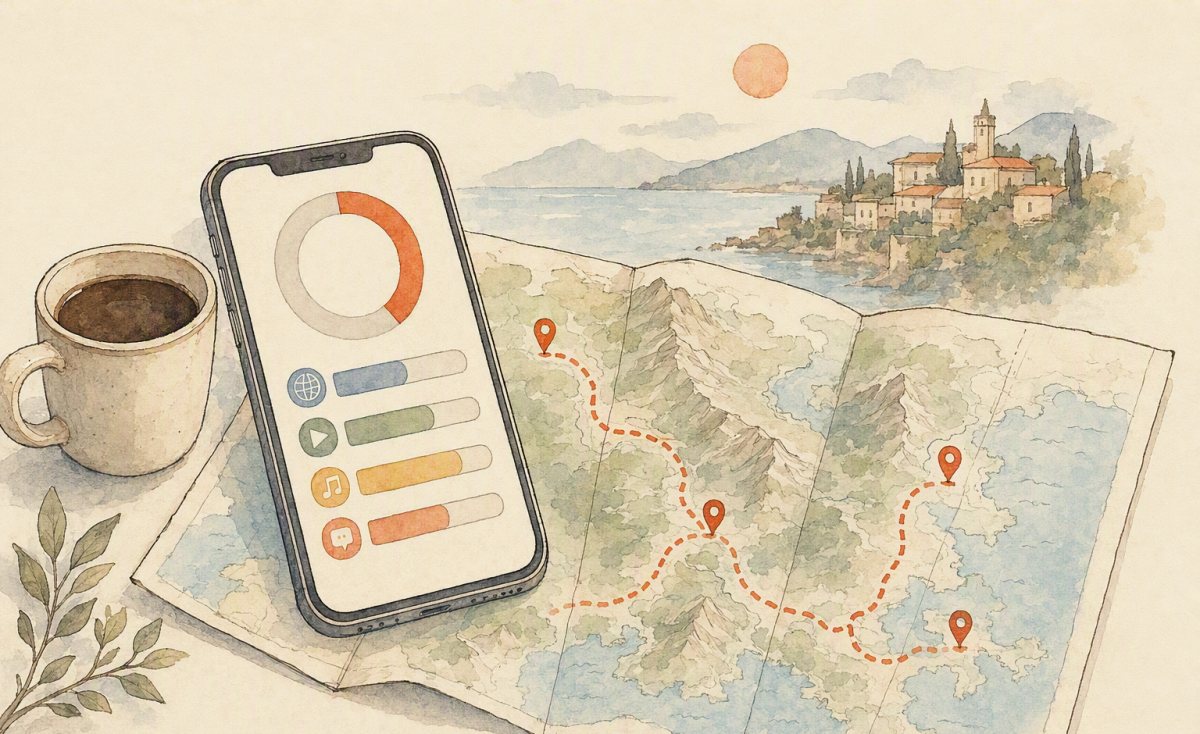
Order too little data and you will be hunting for hotel Wi-Fi to find your restaurant. Order too much and you have paid for gigabytes you never touched. The reason travellers misjudge this is that data use in China is not the same shape as at home: you navigate on foot more, you photograph more, and you video-call home more because the time difference makes async messaging awkward.
Here are realistic numbers, a sizing method, and the two habits that cut consumption by a third.
What actually burns data on a China trip
| Activity | Rough data | Notes |
|---|---|---|
| Live map navigation | 5–14 MB per hour | Vector tiles are cheap; re-downloading a city daily is the hidden cost |
| Maps in background while riding | 30–80 MB per day | Long highway days with the map open all day |
| WeChat text + voice messages | 1–3 MB per hour | Negligible; images and moments are the variable |
| WeChat voice/video call | 25–60 MB per 10 min | Video is the big multiplier |
| Camera translation (one menu) | 0.5–2 MB | Download the offline pack and it drops to near zero |
| Uploading 100 photos to cloud | 300–600 MB | Do this on hotel Wi-Fi, not on the mountain |
| Posting a 30-second clip to socials | 40–120 MB | Compression varies wildly by app |
| Video call home (15 min, HD) | 200–450 MB | One call can equal half a light day’s usage |
| Hotspot to a laptop for an hour of email | 150–400 MB | Browser tabs and background sync are heavy |
Three traveller profiles
The navigator (most people)
Maps all day, WeChat messaging, occasional photo upload, translation by camera. Around 0.8–1.5 GB per day. A 1 GB/day allowance works if you are disciplined about cloud backup; 2 GB/day is comfortable.
The sharer
Stories and clips daily, video calls home every second evening, live maps in the car. Around 2.5–4 GB per day. Choose a daily-allowance plan here — a fixed bucket will run dry by day six.
The low-key traveller
Offline maps downloaded at breakfast, WeChat for messages only, no uploads until the hotel. 300–600 MB per day is genuinely enough, and a cheap 500 MB/day tier covers it.
The sizing method (two minutes)
- Count your days on the ground, including travel days — airport and train days are often the heaviest.
- Pick your profile above and multiply. Ten days as a navigator is roughly 10–15 GB.
- Add a 30% buffer for the days you forget: the unexpected livestream, the extra city, the day your hotel Wi-Fi dies.
- Choose shape. Steady usage → a fixed-total plan for better value. Spiky usage or a long trip → daily allowance, so one heavy evening does not strand you.
Worked example: 12 days, you video-call home twice, you post daily. That is a sharer week and a navigator week mixed — take 2 GB/day for 12 days rather than a 15 GB bucket, and you will never think about it again.
Two habits that cut usage by a third
1. Download before you leave the room
Offline map regions, translation language packs, and playlists all shrink daily consumption dramatically. Ten minutes on hotel Wi-Fi each morning buys you a cheap, quiet day.
2. Move uploads and calls to Wi-Fi
Cloud photo backup is the silent killer of travel data plans. Turn off automatic backup on mobile data, then dump the day’s photos once you are back at the hotel. Same for long video calls — take them from the room, where you also get better signal than a moving car.
Where to get the data
A travel eSIM is the simplest route: buy a plan matched to your dates at home, install it from a QR code in three minutes, and connect on landing without the in-store passport registration that domestic SIMs require. If your trip touches Hong Kong or Macau, a regional plan covers all three with one install. Current tiers are on our travel eSIM page.
One planning note that saves data and money at once: your usage depends on your route. Long highway days with live maps open burn more than a week spent walking between subway stops. Plot the itinerary on the interactive China map planner first — it shows the kilometres and drive time between each pair of stops, which tells you both how many days to allow and how much data those travel days will cost.
Frequently asked questions
Is 1 GB a day enough for China?
For most travellers who use maps all day and keep uploads to hotel Wi-Fi — yes, with care. If you post video or call home often, take 2–3 GB.
What happens when I run out?
Some plans reduce speed instead of cutting off; others stop until you top up. Check the terms, and buy a top-up before you need it.
Can I hotspot to my laptop?
Often yes, but some travel plans limit or exclude tethering. If you must work remotely, confirm hotspot support when you choose the plan.
Do I need more data for rural regions?
Not more — but download offline maps for them. Weak signal means pages retry and burn data without ever loading.
Three worked itineraries
Shanghai + Hangzhou, 6 days, couple, light posting
Mostly metro and walking, maps open in short bursts, one video call home on day three. Roughly 1 GB/day each, so a fixed 5 GB plan per person with a small top-up available is right, and cheaper than a daily plan.
Beijing – Xi’an – Chengdu, 12 days, solo photographer
Maps live all day in the car, uploads at the hotel, but a habit of posting two or three clips daily from the road. Around 2.5 GB/day. Choose a daily-allowance plan; a 15 GB bucket would be exhausted by day eight.
Guilin + Yangshuo family of four, 8 days
Two adults navigating, two kids watching downloaded videos on the drive. One 3 GB/day plan on the parent who carries the phone, plus offline content on the tablets, is enough — the mistake is buying four separate plans for four phones that mostly sit in bags.
How to check what you are actually using
Guessing is why people over-buy. On iPhone: Settings → Cellular shows per-app data since last reset — reset it the morning you land and you have a clean read by day three. On Android: Settings → Network → Data usage gives the same breakdown, and lets you set a warning at your allowance level. If day one comes in at 1.6 GB, buy 2 GB/day for the rest of the trip and stop worrying.
Top-up strategy that never strands you
- Buy conservatively for the first third of the trip.
- Measure on day three and reset the counter.
- Top up to match reality — most sellers let you add data or days without a new install.
- Keep one backup option loaded: an offline map region and a saved hotel address in Chinese, so a data gap is an inconvenience rather than a crisis.
The offline-first workflow, in five minutes a day
Every morning on hotel Wi-Fi: update offline maps for the day’s area, download any translation packs you have not cached, save restaurant and attraction addresses, and queue music or podcasts. Ten minutes buys a day of navigation without anxiety, and it is the single biggest reason light plans work for heavy travellers.
Two more savings that compound: turn off auto-play video in social apps, and set your camera roll to back up over Wi-Fi only. Together they routinely halve daily usage without changing how you travel.